The Importance of Scheduling Your Posts
As busy business owners there is rarely a time when we get to feel ahead of the curve. There is always something that needs to be created, improved, or addressed.
Scheduling your social media posts in advance can give you peace of mind and free you from having to come up with post ideas on the spot. It is also a more efficient way to use social media for business.
Intentional Posting
When you plan a month ahead, you are able to look at your posts in a more holistic view. This can give you the ability to be more intentional with your posts. Consider the monthly goals you have set for your social media marketing strategy. Here are two common social media goals and examples of posts that can help you reach that goal:
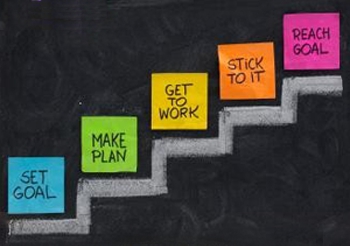
If you are looking to collect data about your customer, you should focus that month’s posts on asking questions and polling your fans for information.
If your monthly goal is brand exposure, you will want to post shareable tips with your fans with watermarked images. This way, when shared, your post can lead viewers back to your business.
Contingency Planning
You are the heart and soul of your business. You are the key to keeping your business up and running. Another benefit to scheduling your social media posts is the creation of a contingency plan.
Contingency planning is about setting up systems so in case of emergency, your business can continue to operate allowing you to step away for a period of time.
As a general guideline, planning your posts at least one month in advance should give you enough time to recover from your leave of absence. Whether the distraction is an illness or a last minute weekend getaway, you will have ample time to get back to on track upon your return.
This is also a popular strategy for business owners who experience a busy season. If you know you are particularly busy in June, July, and August, why not dedicate a day or two in May to scheduling your social media posts for those months. This way, you can focus on your customers when demand is high, but you won’t leave your fans and followers feeling neglected.
How to Schedule Your Social Media Posts
There are 3 options I recommend for scheduling your posts. You can use the internal scheduling option on certain sites like Facebook. You can use free tools for post scheduling. Or, you can sign-up for a monthly plan on specialty sites to get access to tracking features.
The 4th option some business owners attempt is to jot down their post ideas in a notebook. This strategy is good in that you have a go-to spot for brainstorming these ideas. However, it will not help you in the case of the contingency plan. Your posts may not make it out of your notebook and on to your Facebook account if you are not there to publish them.
Internal Post Scheduling on Facebook

To schedule your Facebook posts, I recommend using the internal Facebook scheduling tool.
Facebook’s algorithms are set up to detect when you are posting using an external scheduling tool. If detected, Facebook will ding you for using an external scheduling tool and will not show your post to as many of your fans. For this reason, I advise you to schedule your Facebook Posts using the internal scheduling option.

Steps for Scheduling Facebook Posts:
1. Access Your Business Facebook Page and type your text into the status box.

2. Set up your post as if you were going to publish it. Include photos, videos, and calls to action. Then, click the clock icon in the bottom left hand corner of the status posting box.
3. Schedule the year, month, day, and hour you would like your post to be published. Then, click schedule.
Using Scheduling Tools
There are two tools I recommend for scheduling your social media posts. Both of these tools allow the user to schedule across multiple networks. Both of these tools also offer paid upgrade options that will unlock additional features such as tracking and insights.
Hootsuite
Hootsuite is an online dashboard for monitoring and posting across multiple social media sites.
“HootSuite is an essential tool for managing social networks by allowing teams to efficiently track conversations and measure campaign results.” – Pete Cashmore, CEO, Mashable
You can take a quick tour of the hootsuite dashboard and features here:https://hootsuite.com/features/social-networks
Buffer App
Buffer is an online program that allow for simple and quick scheduling. “Fill up your Buffer at one time in the day and Buffer automagically posts them for you through the day. Simply keep that Buffer topped up to have a consistent social media presence all day round, all week long.” – http://bufferapp.com/about/
Summary
Scheduling your social media posts in advance can be the foundation of developing a social media system that works for your business. Using online tools and internal scheduling featuring will help free you from having to come up with post ideas on the spot. It can also act as a contingency plan in case of emergency. Overall, smart business owners schedule posts because it is a more efficient way to use social media for business marketing.


