Showing posts with label buffer app. Show all posts

Tuesday, December 24, 2013

Social Media Posts: Why Doing It Daily Is Doing It Wrong

The Importance of Scheduling Your Posts

As busy business owners there is rarely a time when we get to feel ahead of the curve. There is always something that needs to be created, improved, or addressed.
Scheduling your social media posts in advance can give you peace of mind and free you from having to come up with post ideas on the spot. It is also a more efficient way to use social media for business.

Intentional Posting

When you plan a month ahead, you are able to look at your posts in a more holistic view. This can give you the ability to be more intentional with your posts. Consider the monthly goals you have set for your social media marketing strategy. Here are two common social media goals and examples of posts that can help you reach that goal:
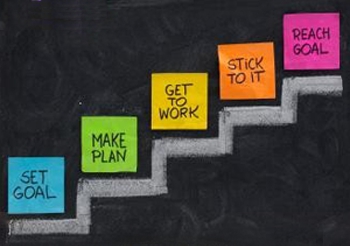
The Importance of Scheduling Your Posts and Setting Social Media Goals by @MMMSocialmedia

If you are looking to collect data about your customer, you should focus that month’s posts on asking questions and polling your fans for information.
If your monthly goal is brand exposure, you will want to post shareable tips with your fans with watermarked images. This way, when shared, your post can lead viewers back to your business.

Contingency Planning

You are the heart and soul of your business. You are the key to keeping your business up and running. Another benefit to scheduling your social media posts is the creation of a contingency plan.
Contingency planning is about setting up systems so in case of emergency, your business can continue to operate allowing you to step away for a period of time.
As a general guideline, planning your posts at least one month in advance should give you enough time to recover from your leave of absence. Whether the distraction is an illness or a last minute weekend getaway, you will have ample time to get back to on track upon your return.
This is also a popular strategy for business owners who experience a busy season. If you know you are particularly busy in June, July, and August, why not dedicate a day or two in May to scheduling your social media posts for those months. This way, you can focus on your customers when demand is high, but you won’t leave your fans and followers feeling neglected.

How to Schedule Your Social Media Posts

There are 3 options I recommend for scheduling your posts. You can use the internal scheduling option on certain sites like Facebook. You can use free tools for post scheduling. Or, you can sign-up for a monthly plan on specialty sites to get access to tracking features.
The 4th option some business owners attempt is to jot down their post ideas in a notebook. This strategy is good in that you have a go-to spot for brainstorming these ideas. However, it will not help you in the case of the contingency plan. Your posts may not make it out of your notebook and on to your Facebook account if you are not there to publish them.

Internal Post Scheduling on Facebook

To schedule your Facebook posts, I recommend using the internal Facebook scheduling tool.
Facebook’s algorithms are set up to detect when you are posting using an external scheduling tool. If detected, Facebook will ding you for using an external scheduling tool and will not show your post to as many of your fans. For this reason, I advise you to schedule your Facebook Posts using the internal scheduling option.

Steps for Scheduling Facebook Posts:
1. Access Your Business Facebook Page and type your text into the status box.


2. Set up your post as if you were going to publish it. Include photos, videos, and calls to action. Then, click the clock icon in the bottom left hand corner of the status posting box.
3. Schedule the year, month, day, and hour you would like your post to be published. Then, click schedule.

Using Scheduling Tools

There are two tools I recommend for scheduling your social media posts. Both of these tools allow the user to schedule across multiple networks. Both of these tools also offer paid upgrade options that will unlock additional features such as tracking and insights.

Hootsuite

Hootsuite is an online dashboard for monitoring and posting across multiple social media sites.
“HootSuite is an essential tool for managing social networks by allowing teams to efficiently track conversations and measure campaign results.” – Pete Cashmore, CEO, Mashable
You can take a quick tour of the hootsuite dashboard and features here:https://hootsuite.com/features/social-networks

Buffer App

Buffer is an online program that allow for simple and quick scheduling. “Fill up your Buffer at one time in the day and Buffer automagically posts them for you through the day. Simply keep that Buffer topped up to have a consistent social media presence all day round, all week long.” – http://bufferapp.com/about/

Summary

Scheduling your social media posts in advance can be the foundation of developing a social media system that works for your business. Using online tools and internal scheduling featuring will help free you from having to come up with post ideas on the spot. It can also act as a contingency plan in case of emergency. Overall, smart business owners schedule posts because it is a more efficient way to use social media for business marketing.

Tuesday, October 22, 2013

5 Reasons Why Buffer is Awesome for Social Media

Buffer AppSocial media is all about sharing. This means that having the most effective management system to share your content and information is crucial to smart business practices. There are quite a few social media management systems out there, but the one that stands out above the rest is Buffer.
Buffer continues to outperform its competitors time and again with its easy-to-use system and regularly added customized features. Since most businesses operate multiple social media accounts at a time, it’s important to have a social media management tool such as Buffer and the Buffer mobile app to stay organized and ensure a smooth process.


Whether you’re searching for a new management tool or contemplating getting one for the first time, here are five reasons why Buffer might be the optimal system for your social media activity.
1. Scheduling Power
As a company, it’s not practical to manage all your social media accounts manually. That’s why it’s integral to leverage platforms such as Buffer to distribute content and media to the appropriate platform through a scheduling process. Buffer is an ideal tool to schedule posts because it offers several default schedule timeslots that are intelligently timed to be sent out when people are most active online. You also have the flexibility to add your own timeslots. Quick Tip: Your retweets can be scheduled too!
2. Company Pages Need Social Media Love Too!
Buffer released a much-needed feature in September that allows  you to connect your LinkedIn company page and Google+ business page to its management system. With Buffer, you now have access to comprehensive analytics for each post update. Check out how to connect your LinkedIn company page here, and enjoy the same scheduling options plus many more added features at your disposal.
3. Twitter Auto-complete
Buffer also recently released a new, integrated item for Twitter. With this handy feature, Buffer is able to suggest Twitter usernames to include in the post. It’s very simple to use and Buffer does all the work! You no longer have to manually type in every person or entity you tag or mention in a tweet. This works on web and mobile devices. 
4.Variety of Posts
In order to surpass your competitors on the social media battleground, it’s important to develop quality information in the form of content, images, videos, and quotes. Yes, that’s right, quotes. Buffer provides its users with a unique, customized item to easily share quotes you find on the web with your followers. All you have to do is highlight the quote you like on the web and click on the Buffer button from your browser extension. Sharing images across social media platforms on Buffer is also a breeze – just right-click on the photo and share.
5. Analytics are Awesome
Without analytics social media activity for business is fairly pointless. By understanding the data and metrics behind your strategy and activity, it increases performance and provides comprehensive insights across social networks. Tip: On Buffer, you can track post analytics including clicks, likes, favorites, retweets, and shares.

Sunday, May 20, 2012

Be More Social Using Buffer for Social Media


Chances are you’ve heard of the social media tool called Buffer. If you haven’t, it is a sharing and scheduling tool that allows you to stack up posts to be sent out at prescheduled times. You can send out messages, links, and pictures to the major social networks like Facebook, Twitter, and LinkedIn. 
Buffer is different from many other social scheduling tools because you don’t have to manually schedule each post or upload complicated spreadsheets. Simply set the times, day or night, that your followers are most active and that’s when updates will be sent.
If this sounds like the app you’ve been looking for there is a free version or you can enter to win the pro version on my Facebook page.
Buffer Screenshot
So how does Buffer make your social media experience more social?
Simple, it gives you more time to listen, find new followers, and join conversations.
As social media managers, marketers, and junkies we know it’s important to keep our feeds fresh and flowing. We know that sharing our own content drives traffic but we must also share what is relevant and engaging from others to build a trusting community. The problem is that finding this content and sharing it at the right time isn’t easy. It can take an hour or two out of each day to get this task done.
One of the quickest and easiest ways to consume content is through RSS feeds. If you haven’t already, add all of your favorite blogs to a free RSS aggregator like Google Reader. This allows you to quickly skim through a lot of content and read the articles that really stand out to you. 
Buffer has recently added a sharing button to Google Reader using their browser extensions. This allows you to easily share content that your followers would find useful while only spending about 10-15 minutes each day ‘buffering’.